

Allen-Bradley
📢 100% genuine, extensive in-stock inventory, fast shipping!
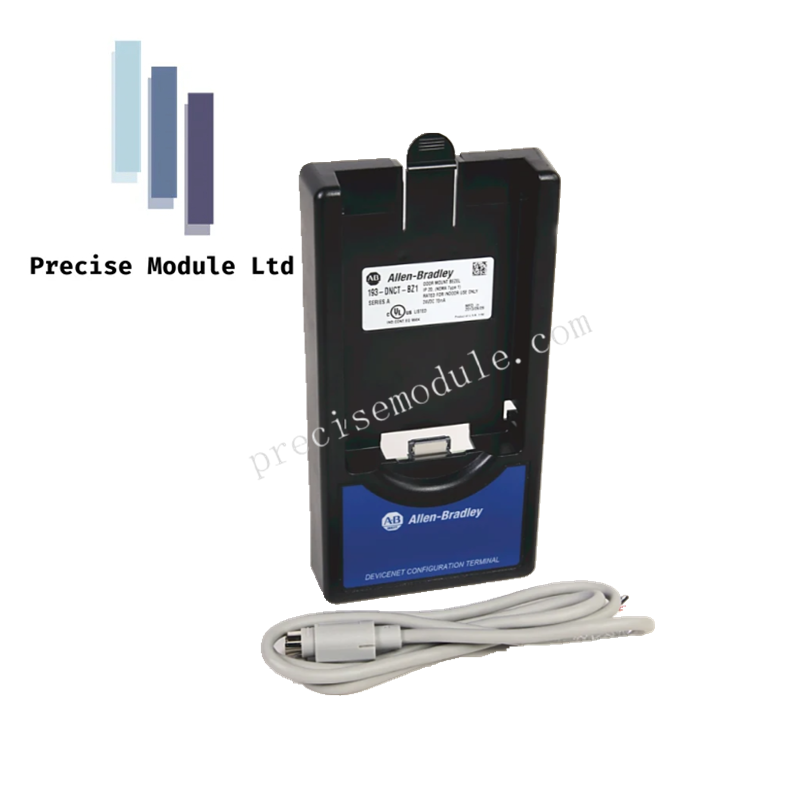
Allen-Bradley 193-DNCT DeviceNet Configuration Terminal
Allen-Bradley 193-DNCT DeviceNet Configuration Terminal
Manufacturer: Allen-Bradley
-
Product No.: 193-DNCT
Condition:in Stock
Product Type: DeviceNet Configuration Terminal
-
Product Origin: USA
Payment:T/T, Western Union
-
Weight: 1000g
Shipping port: Shanghai/Yiwu/Shenzhen
Warranty: 12 months
Share
Product Overview
The Allen-Bradley 193-DNCT is a DeviceNet Configuration Terminal designed to configure and monitor DeviceNet networks efficiently. It provides full keypad control for numeric, decimal, and hexadecimal entry, as well as programmable function keys. On first powerup, the terminal automatically sets its baud rate and assigns an unused network address, then displays the Network Who screen to list all devices on the network. Users can also manually configure network settings via the Terminal Setup menu.
Key Functions
| Key / Function | Description |
|---|---|
| ESC (Escape) Key | Exit a menu or cancel a change; hold during powerup to enter Terminal Setup. |
| Select Key | Select a value, digit, or screen option. |
| Increment / Decrement Keys | Scroll through options, increase/decrease values, toggle bits. |
| Enter Key | Enter menus, modes, or numeric values. |
| Scroll Left / Right Keys | Scroll left or right through values or menus. |
| Shift Key | Activates alternate functions (yellow text) on keys. |
| Numeric Keys (0–9) | Enter numeric values. |
| Decimal Key | Enter a decimal point. |
| Negate / Sign Key | Enter negative values. |
| Hexadecimal Keys (A–F) | Enter hexadecimal values. |
| Programmable Function Keys | Configurable for DeviceNet operations. |
| Programmable Reset Key | Reset functions as defined in terminal setup. |
| Copy / Paste Functions | Copy or paste Class, Instance, and Attribute data. |
| Exponential Function | Enter values in exponential notation. |
| Help Key | Display context-sensitive help. |
Key Features
-
Automatic network configuration on first powerup.
-
Displays Network Who screen listing all connected devices.
-
Manual terminal setup for fixed baud rate and network address.
-
Full keypad support including numeric, hexadecimal, shift, and programmable keys.
-
Supports copy, paste, exponential, and help functions for efficient data entry.
-
Compatible with Allen-Bradley DeviceLogix systems and DeviceNet networks.
Hot Tags :
- Choosing a selection results in a full page refresh.
- Opens in a new window.