


Honeywell
📢 100% genuine, extensive in-stock inventory, fast shipping!
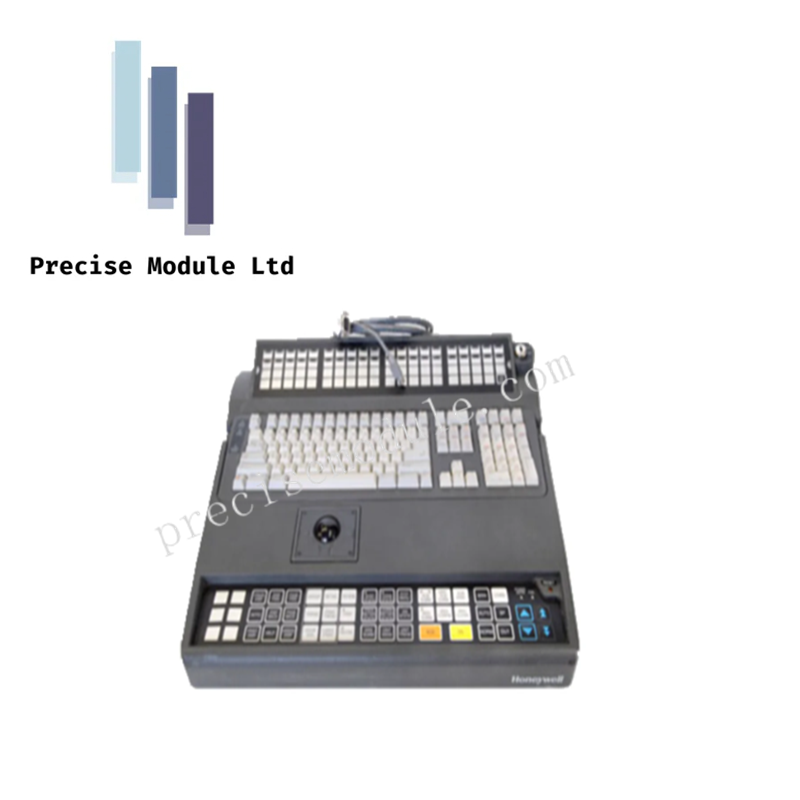
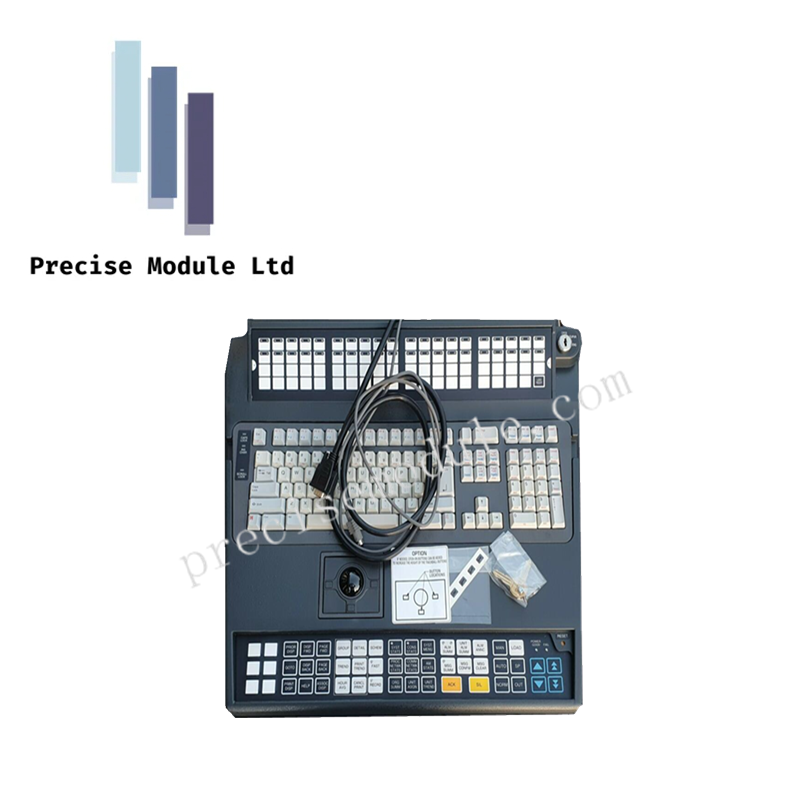
Honeywell 51196694-200 IKB w/Trackball Keyboard
Honeywell 51196694-200 IKB w/Trackball Keyboard
Manufacturer: Honeywell
-
Product No.: 51196694-200
Condition:in Stock
Product Type: IKB Keyboard
-
Product Origin: USA
Payment:T/T, Western Union
-
Weight: 1000g
Shipping port: Shanghai/Yiwu/Shenzhen
Warranty: 12 months
Share
Honeywell 51196694-200 IKB w/Trackball Keyboard
The Honeywell 51196694-200, also cataloged as the 51196694 Integrated Keyboard (IKB), serves as a dedicated operator input device with embedded trackball navigation for Experion PKS, TDC 3000, and Global User Station (GUS) platforms.
Hardware Specifications
| Parameter | Specification |
|---|---|
| Model | 51196694-200 |
| Brand | Honeywell |
| Origin | USA |
| Weight | Not specified |
| Dimensions | Not specified |
| Operating Temp | 0 deg C to 50 deg C |
| Power Supply | 5 VDC via USB |
| Interface | USB standard protocol |
| Keys Layout | QWERTY with dedicated DCS function keys |
| Pointing Device | Built-in optical trackball |
| OS Compatibility | Windows-based DCS operator nodes |
| Durability | Rugged casing, resistant to dust, spills, mild chemicals |
| Form Factor | Space-saving, console or tray mounting |
| Electrical Safety | Integrated ESD and EMI filtering |
4-20 mA HART Loop Protocol and Channel Isolation
Although primarily a USB input device, the keyboard design aligns with Honeywell’s broader DCS philosophy of channel-to-channel isolation and robust communication. EMI filtering ensures deterministic operator input even in environments with strong 4-20 mA HART loop signals or FOUNDATION Fieldbus activity. Shielding and grounding practices prevent interference between keyboard data lines and adjacent industrial control wiring.
Frequently Asked Questions
Q: Can the keyboard be connected to non-Honeywell systems? A: Yes. It uses a standard USB interface, but dedicated function keys are optimized for Honeywell DCS platforms.
Q: Does the trackball require calibration? A: No. The optical trackball is factory-calibrated and requires no field adjustment.
Q: Is the keyboard hot-swappable? A: Yes. As a USB device, it can be connected or disconnected without powering down the operator station.
Field Installation Guidelines
- Mount securely on console surfaces or sliding trays to prevent mechanical stress.
- Ensure USB cabling is routed away from high-voltage conductors to minimize EMI.
- Maintain enclosure cleanliness; wipe surfaces to prevent dust accumulation.
- Verify grounding of operator station chassis to support ESD protection.
- Protect connectors from fluid ingress during installation and maintenance.
Hot Tags :
- Choosing a selection results in a full page refresh.
- Opens in a new window.